 Volantis Ultima Online
Watch the last 30 seconds whenever you want; review your last five deaths and last five kills in separate lists.
Watch an event
- Paperdoll → Open My Events.
- Select Last 5 deaths or Last 5 kills. The two lists keep separate recordings.
- Check the short event summary and time, then press Watch event on that row.
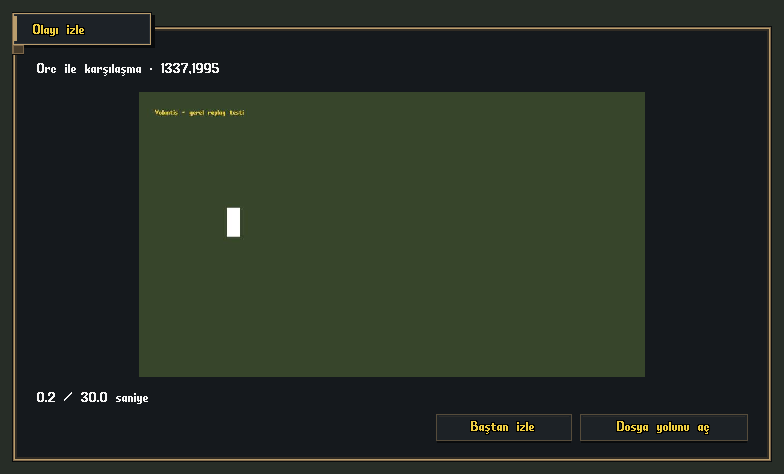
- Watch the recording in the video window. Its viewpoint is exactly what your own client saw during the event.
Review the visual in real size
Watch the last 30 seconds at any time
- Open Paperdoll → My Events and press Watch the last 30 seconds.
- The recording accumulated before you press the button is prepared and played. No death or kill is required.
- If fewer than 30 seconds have accumulated since login, only the available shorter recording is shown.
Review the visual in real size
Player controls
| Button | What does it do? |
|---|---|
| Watch event | Opens the selected death or kill recording. |
| Watch again | Restarts the open video from the beginning. |
| Open file location | Opens the folder containing the video you are watching on this computer. |
How to store last 30 seconds?
While the game is running, a rolling memory buffer holds the last 30 seconds and discards older frames. A death or kill saves this segment as a local event video. It does not write hours of continuous footage. Recording uses 12 frames per second at up to 960×540, with a 96 MB frame-buffer limit. A busy scene or a recent login may result in less than 30 seconds of footage.
Where Are Recordings Stored?
Videos are kept in the Replays folder of the character profile on this computer. In the event playback screen, Open file location beside Replay from start opens the folder containing the video you are watching. The last 5 recordings of each type are kept; older event videos beyond this limit are deleted. Microphone/audio is not recorded. Event recordings are not sent to the server automatically. If you select Also send my last 30-second video in Help, the recording attached to that request is shared with the support system. Events from a previous computer do not automatically appear when you play on another one.
Which recordings are kept?
| Recording | Retention rule |
|---|---|
| Last 5 deaths | This character's five most recent death recordings on this computer. Each new death replaces the oldest recording. |
| Last 5 kills | The five most recent kill recordings, kept separately from deaths. |
| Watch last 30 seconds | The most recent manually prepared recording is kept; preparing another replaces it. |
| Video attached to a ticket | The uploaded copy is deleted after 24 hours. This time limit does not apply to the local death and kill archive. |
Show an issue to staff
Write your description in Help → Bug report. Select Send my last 30 seconds of video so it appears pressed, then press Send. The ticket receives recent footage from the time of submission, not an old event selected from My Events. Open the Video support tickets guide below for the full process.
If the video is not ready
The buffer may not be full immediately after login. Wait while the recording is prepared, then reopen the menu. If the disk is full or the video cannot be written, the recording status explains the issue. Only frames actually displayed by the client are available; missing past footage cannot be recreated.
Volantis gameplay guide during development. Characters, stock and balances shown in images are usage examples.